In the era of AI, almost everything has become extremely simple. Even a beginner with no prior video editing experience can now create professional-looking reels with just basic knowledge. You only need to know what to use, how to use it, and where you can get the tools. That’s the power of AI today.
Recently, an AI reel has been going viral on social media platforms, including Instagram, TikTok, YouTube Shorts, and Facebook Reels, titled “Ai Trendy Video Editing 2025.” Thousands of people are searching for what this trend is and how they can also create the same kind of video.
This AI editing style is basically created using an AI prompt. First, an AI-generated image is created using Gemini, and then that image is converted into a video using motion effects. If you also want to join the trend and make an eye-catching AI trendy Video Editing, then this article will guide you step by step in a simple and human-friendly way.
Table of Contents
What is the Ai trendy Video Editing?
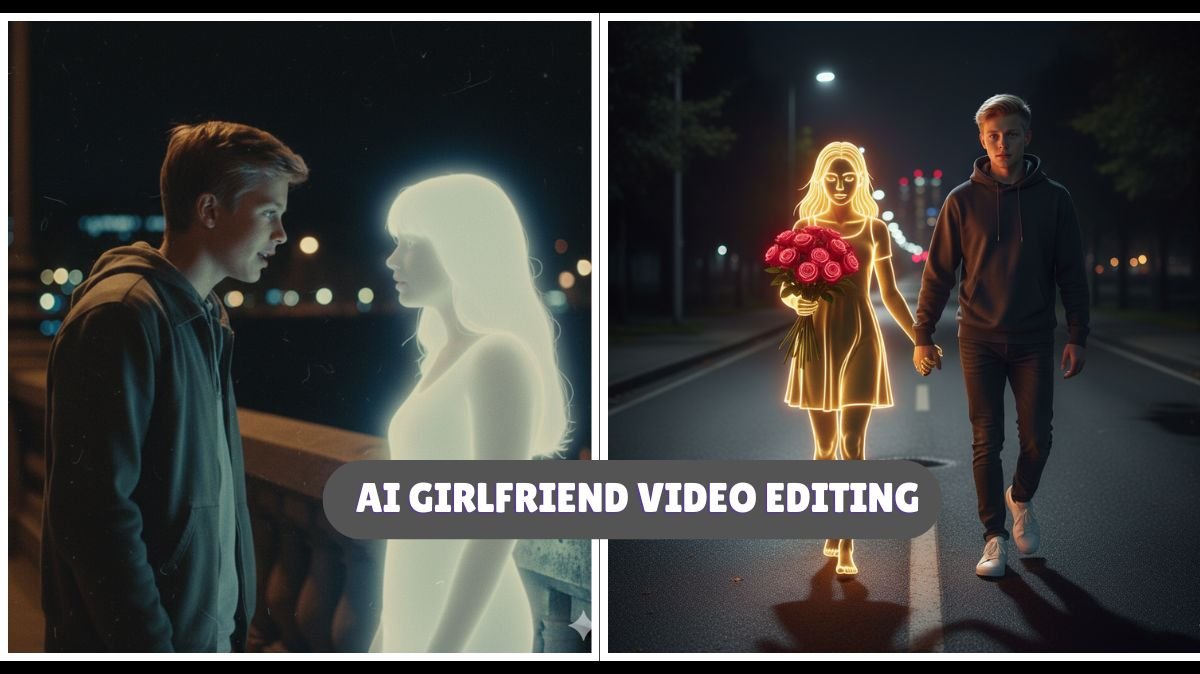
The AI Girlfriend trend is all about generating a realistic AI girl image that looks aesthetic, modern, and visually appealing. This image is then turned into a slow-motion or dynamic movement video, giving it a lifelike effect. The result looks professional, cinematic, and extremely engaging for social media users.
This is why many creators, even beginners, are trying it, because you don’t need advanced editing skills. You only need one prompt, one image generator, and one video generator. And everything is done automatically.
Ai trendy Video Editing Prompts for image generation
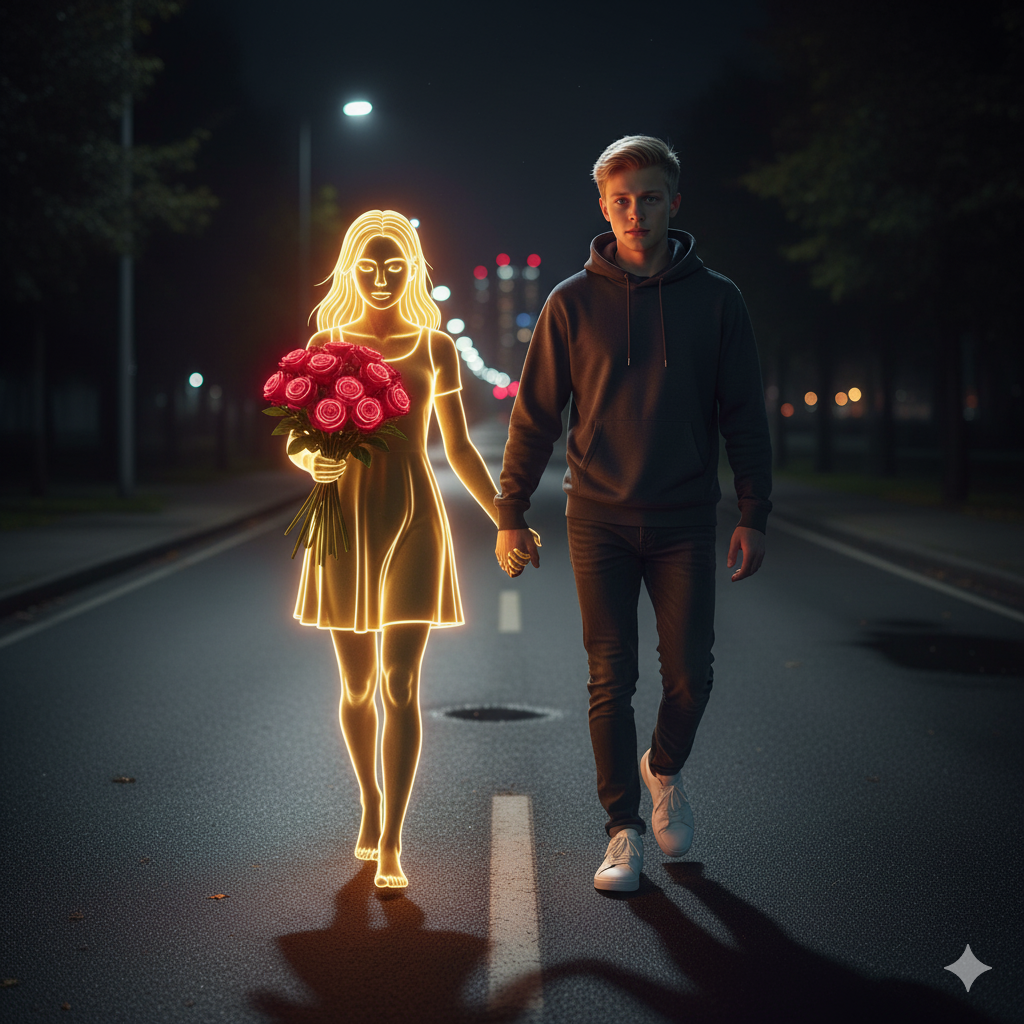
Prompt:
A young man walks alone along a dimly lit path at night, dressed in dark casual clothing and white sneakers. Beside him appears a golden, glowing neon-style girl, holding a bouquet of bright red roses. The neon girl emits a soft white light that contrasts beautifully with the dark, blurred city lights in the distance. The atmosphere feels calm, melancholic, and slightly surreal—blending reality with imagination. The scene shows the young man and the neon girl standing together in the middle of the road, holding hands, with the girl’s face rendered with 100% accuracy to mine.
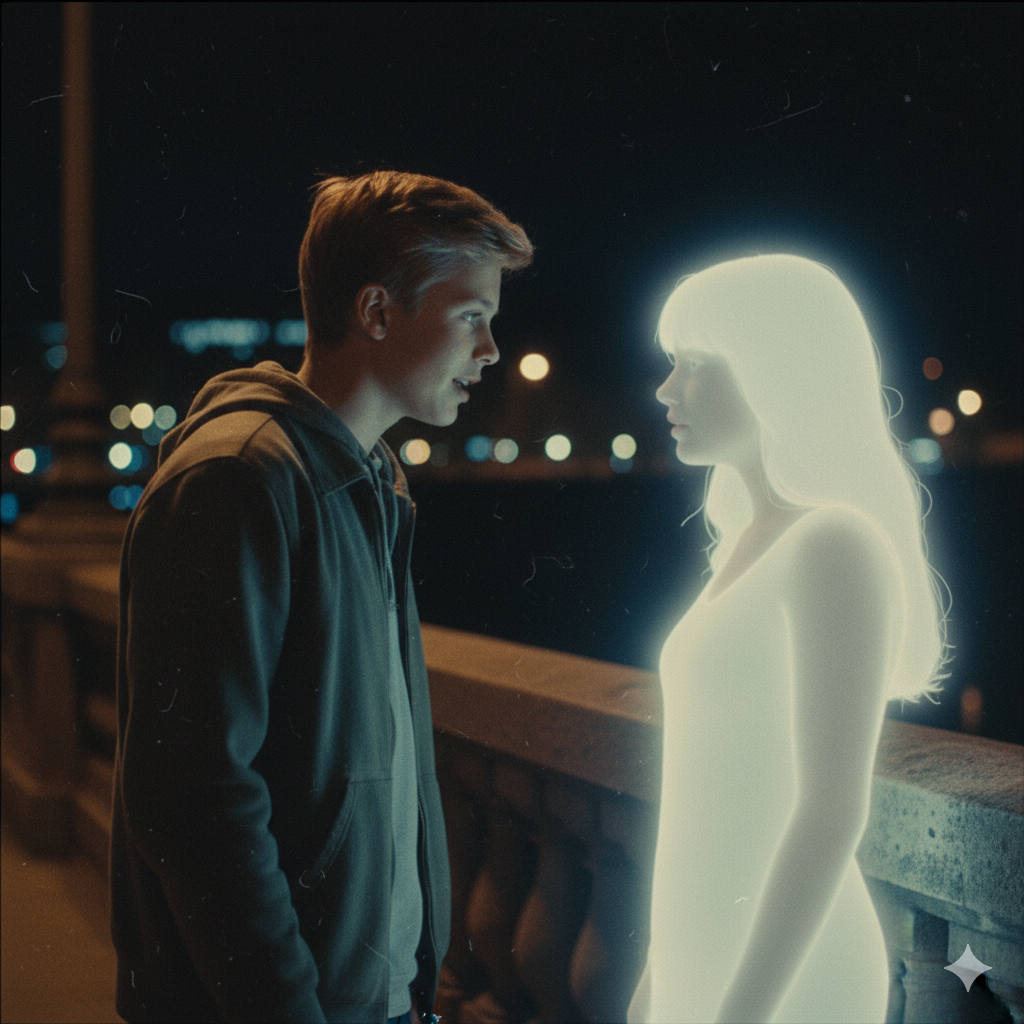
Retro cinematic photograph of a young man (use uploaded image for 100% accurate face) standing quietly on a bridge at night, leaning slightly forward as he speaks softly to a glowing feminine figure beside him. The girl appears as a gentle silhouette made of soft white light with smooth, delicate edges, more like a fading memory than a physical presence. Both characters stand close, their bodies subtly angled toward one another, suggesting an emotional and intimate conversation.
Prompt:
Retro cinematic photograph of a young man (use the uploaded image for accurate face reference) standing on a bridge at night, softly talking to a girl made of light. The girl appears as a delicate, feminine silhouette formed from soft white light with smooth, glowing edges—like a memory or a dream. Both figures stand close together, slightly leaning toward each other as if in quiet conversation.
The camera captures a medium side shot, showing their profiles from the waist up, with blurred city lights glowing behind them. The image should have a nostalgic retro-film aesthetic: slightly faded colors, soft focus, mild grain, natural lighting, and authentic analog imperfections. The girl’s soft white glow should gently illuminate the man’s face, creating realistic shadows and highlights. Overall, the tone is calm, emotional, and cinematic—resembling an old film still rather than a digital render. Add film texture, lens softness, and analog photo imperfections for authenticity.
How to do Ai trendy Video Editing Using Gemini (Step-by-Step Guide)
Here is the complete step-by-step explanation of how you can generate the image and then create the video easily.
Step 1: Generate an AI trendy Image Using Gemini
First of all, you need a high-quality AI-generated image. For that, you will use Gemini, which is Google’s AI tool.
Follow these steps:
1. Visit the Gemini Application
Open your browser and search for “Gemini Google AI” or simply open the Gemini app on your mobile.
2. Log In Using Your Email
To use image generation features, you must log in using your Google account. This takes only a few seconds.
3. Copy the Prompt We Have Provided Below
We will provide you with a ready-made Ai trendy Video Editing prompt that creates the perfect aesthetic look.
Just copy the prompt completely.
4. Paste the Prompt Inside Gemini
Now paste the prompt inside Gemini’s prompt box and hit Generate.
Within a few seconds, your Ai trendy image will be created. Choose the one that looks best to you.
Now 50% of the work is already done.
Step 2: Turn the Image Into a Video
Now you have the AI-generated image. The next task is to give it movement so that it becomes a reel-worthy video.
You can easily do this using the video generation option.
Follow the steps below:
1. Click on the “Generate Video” Button
After the image is made, you will see an option like Generate Video or Create Motion.
Click on it to continue.
2. Add Your Image
You will be redirected to the motion-video tool.
Click on New Project and upload the AI trendy image you just generated.
3. Select “Text to Video”
Here you will see different video creation options.
Choose Text to Video because you will give a prompt to add motion.
4. Select “Frame to Video” Option
Frame to Video allows you to convert a still image into a moving video.
5. Add the Motion Prompt
In the prompt box, type:
“Add slow movement”
This tells the AI to add gentle, aesthetic, cinematic motion.
Slow movement helps make the video look more realistic and visually soothing.
6. Wait a Few Seconds
The app will process the image and add motion automatically.
Within a few seconds, your Ai trendy Video Editing video will be ready.
Step 3: Export and Share on Social Media
Once the video is ready, simply click Export and save it in high quality (1080p or 4K is recommended).
Now your Ai trendy Video is ready to be shared on social media platforms like:
- Instagram Reels
- TikTok
- YouTube Shorts
- Facebook Reels
This editing style is currently viral, so your video has a high chance of getting good reach and engagement.
Pro Tips to Make Your Ai trendy Video Look Premium
- Use a high-quality prompt for a clean, aesthetic face.
- Avoid over-editing or adding too many filters.
- Keep the motion slow and natural.
- Use trendy background music to match the vibe.
- Add subtle brightness/contrast adjustments if needed.
The simpler and cleaner the video, the more professional it looks.
Conclusion
AI has made video creation extremely easy, and trends like Ai trendy Video Editing show how creativity and technology are coming together. Even if you are a beginner, you can create stunning AI reels using just a prompt and basic tools. Gemini handles all the complex parts automatically, so all you need is a little creativity and the right steps.