Nowadays, a lot of car photo editing prompts are going viral on social media, in which you have to give a simple prompt to Google Gemini, and it will generate your picture with your favourite car in just a few seconds. A lot of people don’t know how these images are created and what type of prompt they have to give to make this type of image. So in this article, we will tell you everything in detail—how to use these prompts, how to personalize them, and how to create your perfect AI-edited car photo using Gemini.
If you also want to create your own car photo with your dream car, all you need to do is take the existing prompt given below, add your personalized details, change the car model, and that’s it. Your stylish AI photo will be ready to share on Instagram, Facebook, WhatsApp, or any social media platform.
This guide is beginner-friendly, so even if you’ve never used Gemini before, you can follow the steps easily.
Table of Contents
How to Use Car Photo Editing Prompts on Google Gemini
To create a photo using the ready-to-use prompts, follow the simple steps given below.
1. Visit the Google Gemini Website
First of all, what you have to do is visit the official Google Gemini website. You can use your mobile or laptop—both work perfectly.
2. Sign In With Your Gmail Account
After opening the website, sign in with your Gmail account. Without a login, Gemini won’t allow image generation, so make sure you log in properly.
3. Copy the Prompt Provided Below
Scroll down to the prompt section where we’ve shared the exact type of prompt used in trending car edits. Simply copy the full prompt.
4. Paste It Inside the Prompt Box of Gemini
Go back to Gemini, paste the prompt into the message box, and now comes the most important part, customizing it for your personal details.
5. Edit the Prompt to Add Your Personal Details
Inside the prompt, you will find details like age, hairstyle, outfit, pose, background, and car model.
Modify the details according to your choice, such as:
- Your face and hairstyle
- Your outfit (hoodie, t-shirt, jacket, jeans, shoes, accessories)
- Pose (standing, sitting, leaning, looking away, etc.)
- Your preferred car model
- The setting or background
This customization makes your AI image unique and personalized.
6. Click the Create Icon
After completing all edits, simply click the Create button. Gemini will take a few seconds to generate your images. Once completed, you can download or share them instantly on your social media platforms.
Your personalized car photo is ready!
How to Personalize the Car Photo Editing Prompt
Many people believe AI photo creation is complicated, but it is extremely easy when you follow the right steps. These personalisation tips help you get better results.
Change the Car Model
You can change the car model to anything you like. Just write the model name inside the prompt. Examples:
- Lamborghini Huracan
- Mahindra Thar
- Scorpio S11
- BMW M4
- Nissan GTR
- Audi A4
- Range Rover
Gemini will automatically generate your image with that specific car.
Update Your Outfit and Accessories
Be specific with your clothing details. Mention the colour, type of outfit, accessories, shoes, and hairstyle. The more details you give, the more accurate and premium your AI photo will look.
Describe the Background Clearly
If you want a night look, mention “night parking lot with streetlights.”
If you want a luxury vibe, write “premium car showroom with glossy floor.”
Clear background descriptions give your photos a realistic finish.
Add Lighting and Mood
Words like cinematic lighting, neon glow, sunset ambience, glossy reflections, soft fog, etc., help the image look like a professional photoshoot.
Why These Car Photo Editing Prompts Work So Well
These prompts are designed to include all the details Gemini needs—your appearance, outfit, accessories, car model, surroundings, and pose. When every detail is clear, Gemini generates a highly realistic and premium-looking image.
People like these AI car photos because they look stylish, modern, and luxurious. Whether you want a casual look, a cinematic night scene, or a luxury car photoshoot, these prompts make it very easy to create high-quality images that get maximum engagement on social media.
Ready-to-Use Car Photo Editing Prompts (Copy–Paste and Use)
Below are 5 simple and effective prompts similar to the trending style. Just copy, paste, and personalise.
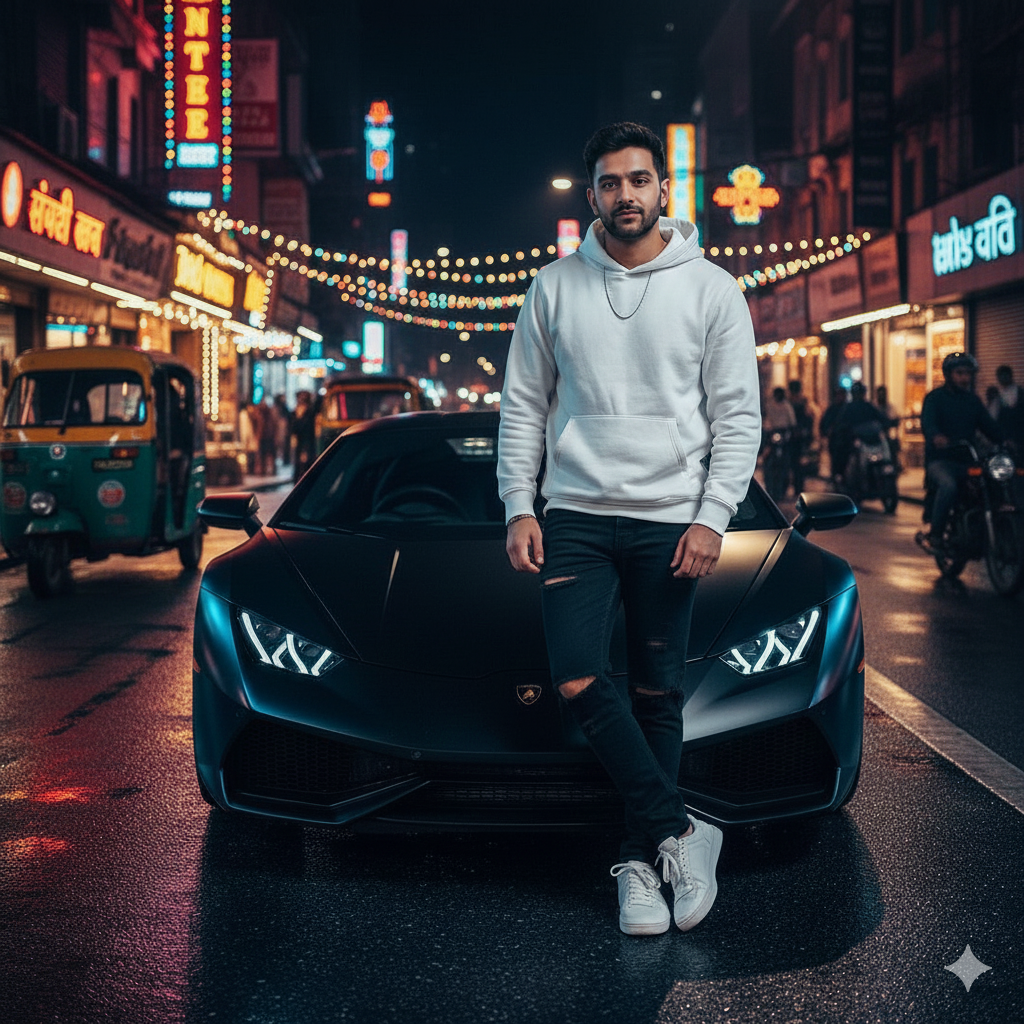
Prompt 1
Keeping the same face and hairstyle of a 22-year-old man, medium build, wearing a white oversized hoodie, black ripped jeans, silver chain, and white sneakers. Standing confidently next to a matte black Lamborghini Huracan, one hand resting on the car roof. The background is a neon-lit night indian street with reflections on the wet road, cinematic lighting. 4:5
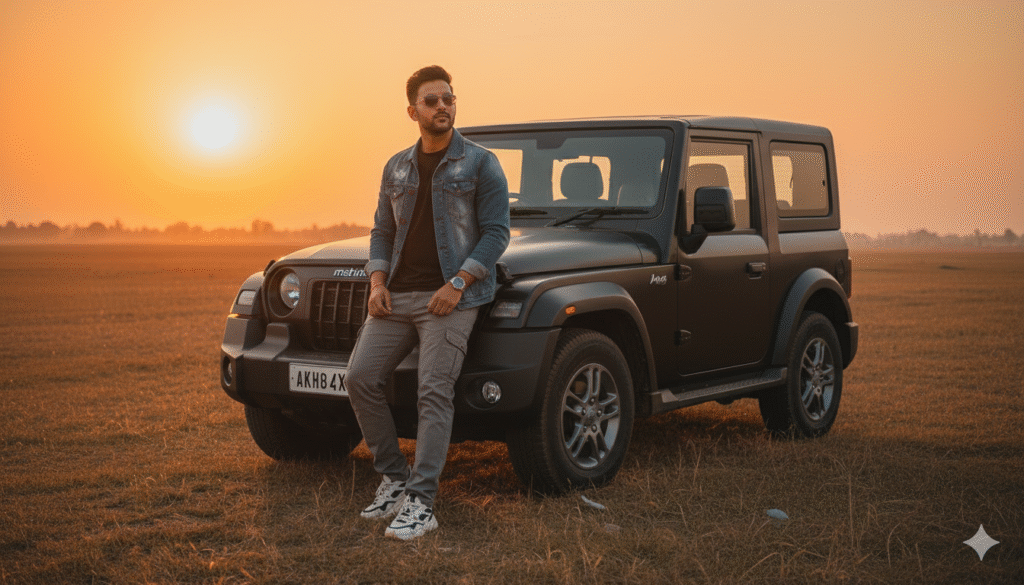
Prompt 2
Keeping the same face and hairstyle of a 20-year-old man, brown skin tone, wearing a denim jacket, black t-shirt, grey cargo pants, chunky sneakers, wristwatch, and sunglasses. Sitting casually on the bonnet of a black Mahindra Thar, parked in an open field during golden hour sunset. Warm sunlight and soft natural shadows. 4:5
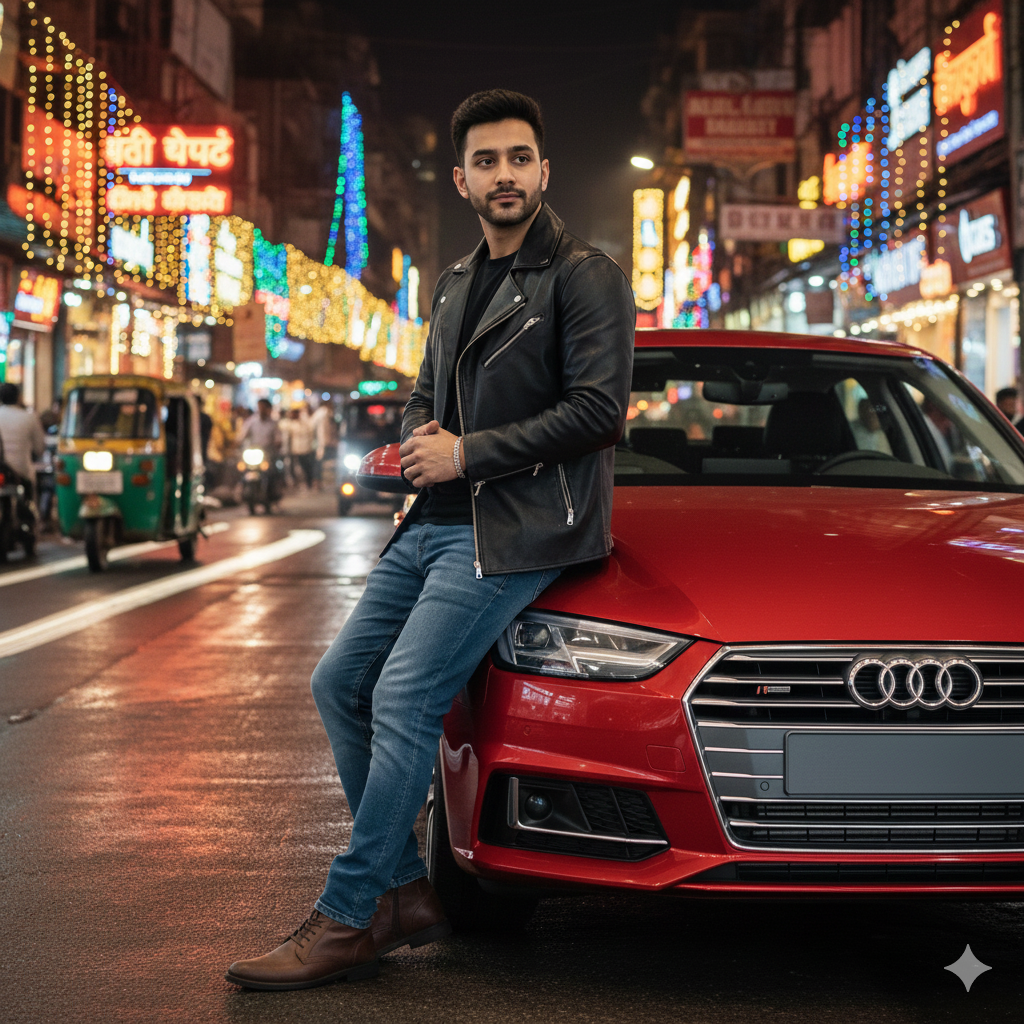
Prompt 3
Keeping the same face and hairstyle of a 25-year-old man, fade haircut, wearing a black leather jacket, blue jeans, boots, bracelet, and silver ring. Leaning on a red Audi A4 on indian street during night. 4:5
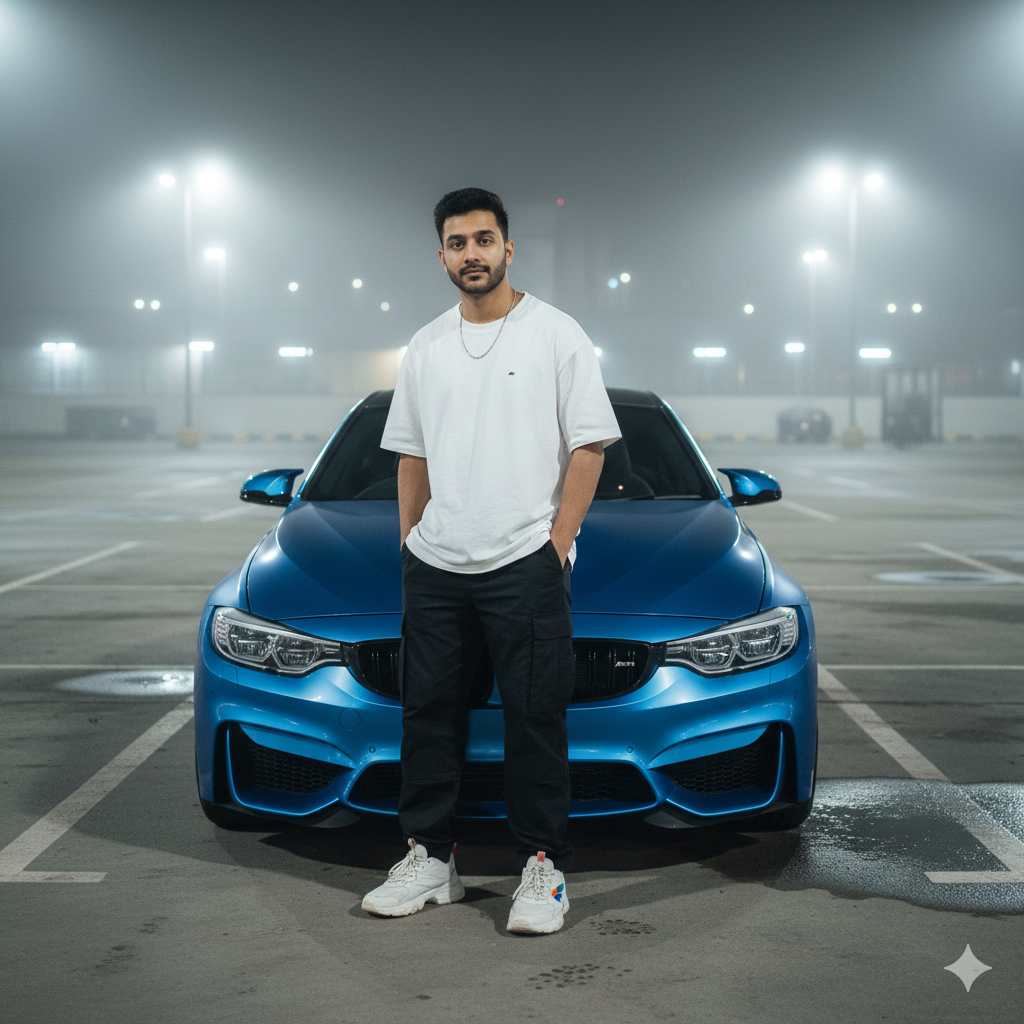
Prompt 4
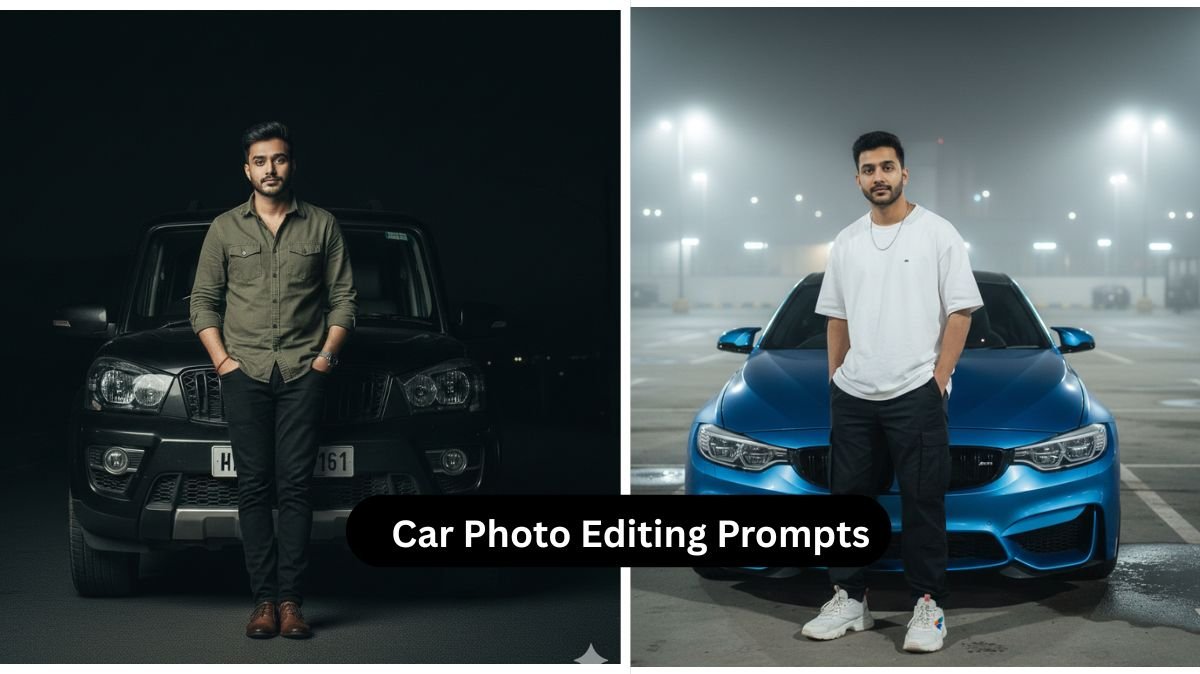
Keeping the same face of an 18-year-old man, short hair, wearing an oversized t-shirt, baggy pants, sneakers, and minimal accessories. Standing beside a blue BMW M4 with hands in pockets. Background is an empty parking lot with moody night lights and light fog. 4:5
Prompt 5
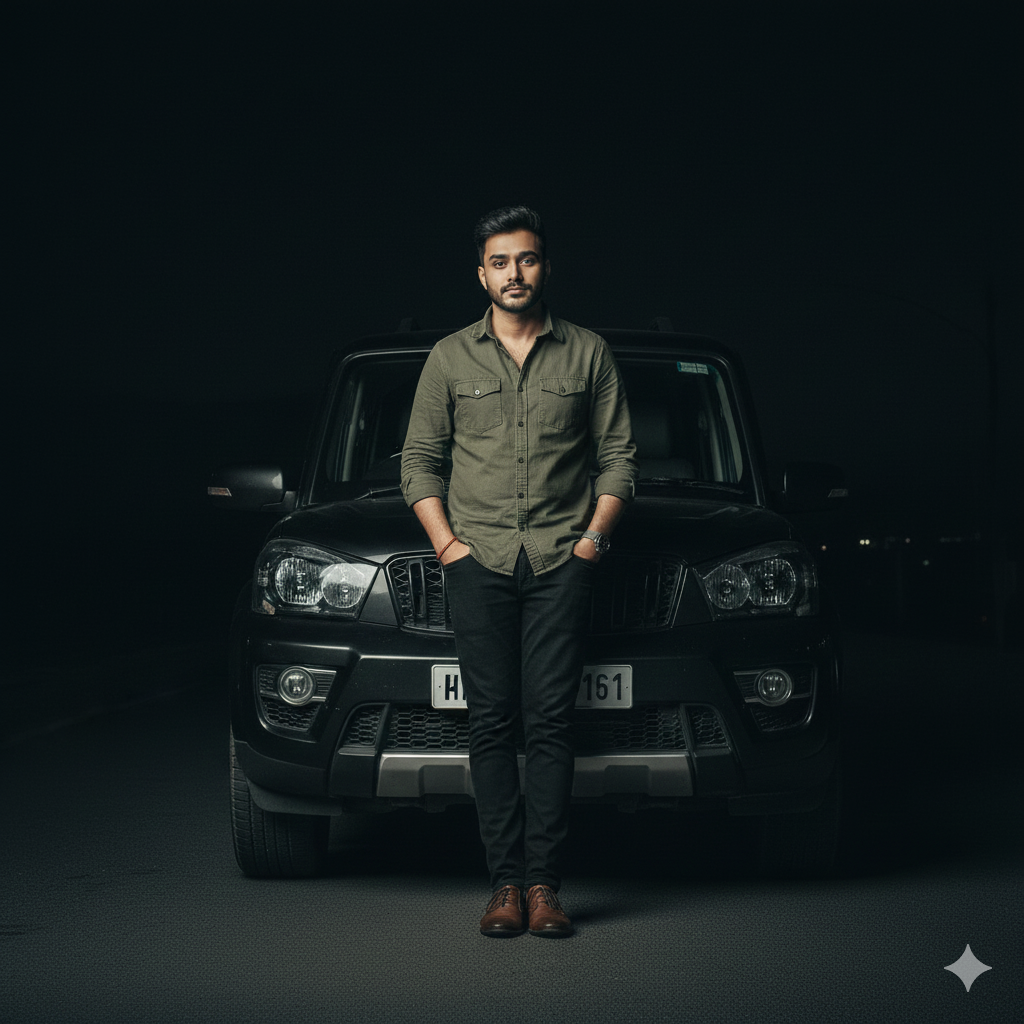
Keeping the same face of a 23-year-old man, messy hairstyle, clean casual look, wearing an olive green shirt, black jeans, brown shoes, and a wristwatch. standing at the front of black Scorpio S11. Smooth shadows and aesthetic lighting. 4:5
Conclusion
Creating AI car photos using Google Gemini has become one of the simplest and most trending ways to upgrade your social media presence. With just a well-written prompt and a few personal edits, you can generate professional-looking images featuring your favourite cars, premium outfits, and cinematic backgrounds. These prompts make the process extremely easy, even for beginners. All you have to do is personalize the details, choose your dream car, and let Gemini do the rest.