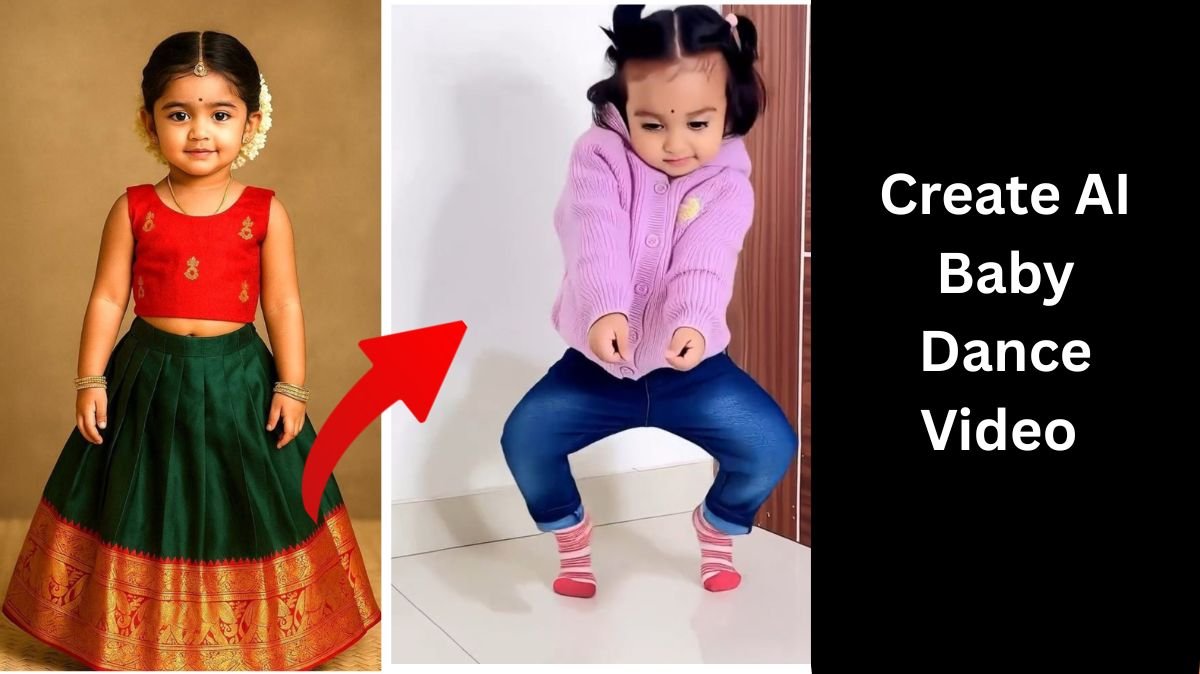
The AI baby dance video is getting viral on Instagram and other short video platforms very fast. Every day, you can see cute baby images dancing perfectly on trending songs, and people are getting millions of views on reels. Because of this, a lot of creators want to create this viral AI baby dance trend, but many of them do not know how it is made or which AI tool is used.
The good thing is that creating an AI baby dance video is very simple. You do not need professional editing skills, expensive software, or animation knowledge. This viral trend works on a motion control system, where AI copies the movement of a dancing video and applies the same motion to a static image, such as a baby photo. The result looks realistic and fun, which is why this trend is performing so well on social media.
In this article, I will explain step by step how you can create an AI baby dance video easily using an AI application. Make sure to read the full details carefully so you can create this viral trend without any confusion.
Table of Contents
What Is AI Baby Dance Video Generation?
AI baby dance video generation is a process in which artificial intelligence converts a still image of a baby into a dancing video. The AI system analyzes a motion video (such as a dance clip) and replicates the exact movements, expressions, and body language in the image you provide.
This technology is also known as motion control or motion cloning, and it is the main reason why AI baby dance videos look smooth and natural. The AI automatically matches head movement, body posture, and rhythm with the dance video.
How to Create an AI Baby Dance Video (Step-by-Step Guide)
Follow the steps below carefully to create your own viral AI baby dance video.
Step 1: Download the Kling AI Application
First of all, you need to download the Kling AI application.
- It is available on Play Store for Android users
- It is also available on App Store for iOS users
Simply search for “Kling AI” and install the application on your device.
Step 2: Login to the Application
After installing the app, open it and login or sign up using your email or social account. Once you log in, you will see the main dashboard of the application.
Step 3: Open AI Video Option
Now, at the top right corner of the application, you will see an icon named AI Video.
Simply click on that option to enter the AI video creation section.
Step 4: Select Motion Control Feature
After clicking AI Video, again at the upper right corner, you will find the Motion Control option.
Click on Motion Control, as this feature is responsible for duplicating video movements into images.
Step 5: Add Character Image
Now you will see two options.
The first one is Add Character Image.
Here, you need to upload the image on which you want to apply motion.
- You can upload a baby image
- Make sure the image is clear and front-facing
- Better image quality gives better output
This image will become the dancing baby in your final video.
Step 6: Add Motion Video
Below the character image option, you will see Add Motion Video.
Here, you need to upload a dance video whose movements you want to clone.
- You can use any dancing video
- Trending reel dance videos work best
- Full body movement videos give better results
The AI will analyze this motion video and copy its movements.
Step 7: Generate the Video
After adding both the image and motion video, simply click on the Generate button.
The AI will take a few seconds to process the video. Once done, your AI baby dance video will be ready.
You can download it and directly share it on Instagram, Reels, Shorts, or other social media platforms.
How You Can Add Variation in AI Baby Dance Video
If you want to create different types of AI baby dance videos and avoid repetitive content, variation is very important.
To add variation, simply follow the same steps mentioned above, but change the motion video each time.
- Use different dance videos
- Try fast dance, slow dance, or funny moves
- Use trending songs and choreography
What AI does is automatically mimic the movements from the new dance video and apply them to the same baby image or a new image. This way, you can create unlimited variations and keep your content fresh and viral.
Why AI Baby Dance Videos Are Going Viral
There are many reasons why this trend is getting viral:
- Cute baby visuals attract attention instantly
- Perfect dance synchronization looks impressive
- AI content is still new and engaging
- Easy to create but high engagement
This is why creators, influencers, and even meme pages are using AI baby dance video generation to grow their accounts faster.
Final Words
AI baby dance video generation is one of the easiest viral trends you can try right now. With the help of Kling AI and motion control technology, anyone can create professional-looking dance videos without editing skills. Just follow the steps properly, experiment with different dance videos, and upload consistently to get better reach.
- AI baby dance video generation,
- AI baby dance video,
- AI baby dance trend,
- Motion control AI video,
- Kling AI baby dance,
- Viral AI dance video,
- AI image to video,
- Instagram AI baby trend,