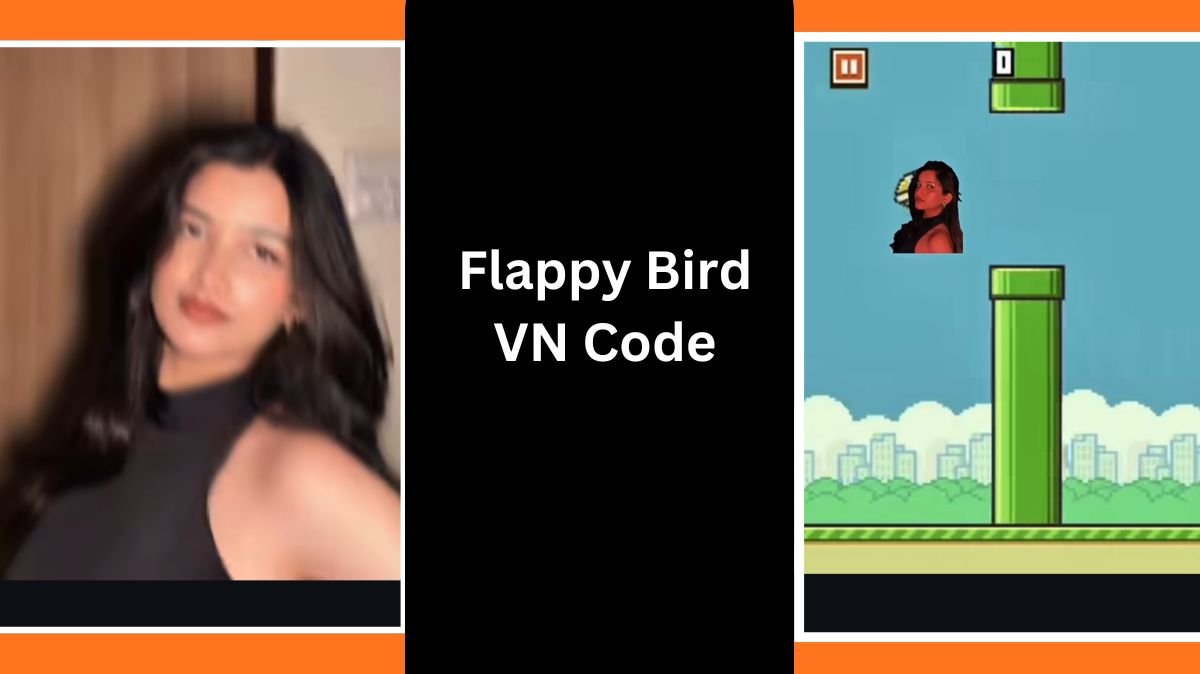
Recently, a unique game-style trend edit has taken over social media platforms like Instagram Reels, TikTok, and YouTube Shorts. In this viral concept, a cut-out image of the user moves between obstacles similar to the Flappy Bird game pipes and then transitions to meet another image. Suddenly, the transition pops forward into the screen, and the main edit begins with a dramatic effect.
Because this trend looks professionally made, many people assume it requires advanced editing skills. But thanks to the VN App and the special Flappy Bird VN Code Template, anyone can create this viral video in a few minutes even without editing experience.
In this article, we will explain how this trend is created, how you can use the VN template, and what settings or adjustments you need to make for the best results. We’ll also share step-by-step instructions so that you can easily make your own trending edit.
Table of Contents
What Is the Flappy Bird VN Code Trend?
The Flappy Bird VN Trend is a short cinematic edit inspired by the classic mobile game Flappy Bird. The edit includes:
- A cut-out image of the user flapping or moving between animated pipes
- The movement leading toward another placed cut-out image
- A sudden forward screen transition when the two images meet
- The main aesthetic video edit that begins afterward
This trend is popular because it looks like a professional motion-graphics animation, but it can actually be done automatically using a VN App QR Code Template.
Why Is the VN Code Template Useful?
Many users struggle with editing:
- They don’t know how to make PNG cut-outs
- They don’t know how to animate movement
- They don’t know how to time transitions correctly
- They don’t know how to add game-like effects
With the VN Flappy Bird Template, everything is already prepared.
All you need to do is:
- Scan the QR Code
- Import your photos and videos
- Export the final video
The VN template automatically adjusts:
- Timing
- Animations
- Transitions
- Motion paths
- Effects
- Colors
- Placement of your images and video clips
This makes editing extremely easy, even for beginners.
How to Use the Flappy Bird VN Code (Step-by-Step Guide)
Below is the complete process to use the viral VN Code and create the trending edit.
Step 1: Install the VN App
The VN App (VN Video Editor) is available for:
- Android (Google Play Store)
- iPhone (Apple App Store)
- Windows and macOS
Make sure to download and install the app before starting.
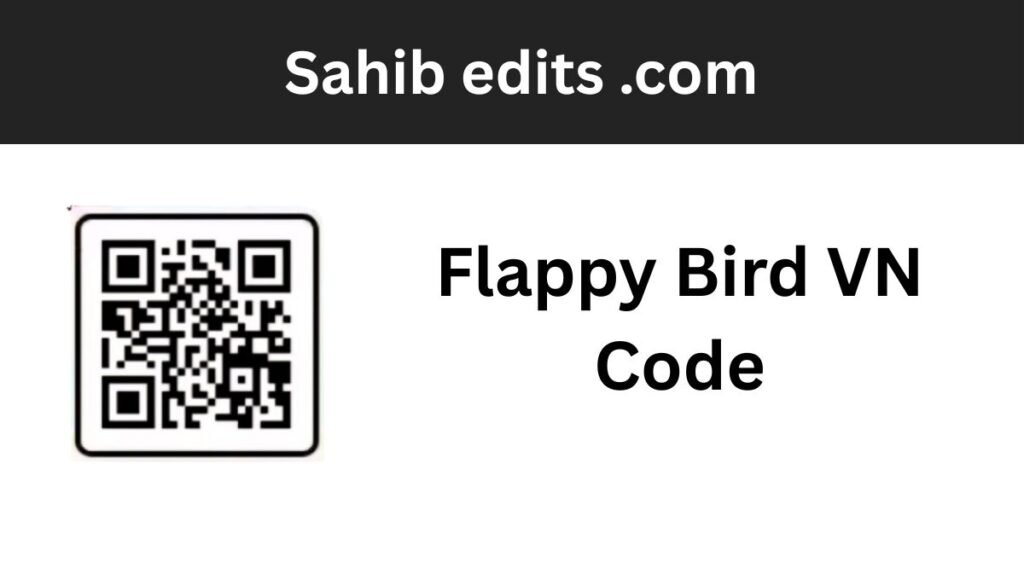
Step 2: Screenshot the Provided QR Code
Once you have the VN application installed, the next step is simple:
- Take a clear screenshot of the QR Code Template provided.
- Make sure the QR code is visible and not cropped.
VN allows users to import templates directly through QR scanning or by selecting the QR code image from the gallery.
Step 3: Import the QR Code in VN
Open the VN App and follow these steps:
- Tap on “Templates”
- Select “Scan QR Code”
- Choose “Import from Gallery”
- Select the screenshot of the QR code
After this, you will be automatically redirected to the Flappy Bird Template.
Step 4: Add Your Cut-Out Image
This is the most important part of the trend.
At the start of the template, there will be a section labeled:
- “Upload Media – Image”
Here you should add a cut-out photo of yourself (PNG).
You can create a cut-out image using: - Background remover apps
- Snapseed
- PicsArt
- PhotoRoom
- Adobe Express
Once added, the template will place the cut-out in the moving sequence between the game pipes.
Step 5: Add Your Final Videos
After the initial image upload section, the remaining slots will be:
- Video Upload Sections
These are the clips that will appear after the transition effect.
You can add: - Aesthetic videos
- Glow edits
- Slow-motion clips
- Montage shots
- Model or fitness videos
- Couple clips
- Travel videos
The template automatically fits your videos into: - Transitions
- Color grading
- Beat timing
- Motion animations
- Effects
You don’t have to adjust anything manually unless you want to customize the look.
Additional Settings for the Best Results
Although the template does most of the work, here are some optional settings to improve quality.
1. Adjust the Position of the Cut-Out
Sometimes your PNG image may appear too small or too large.
Tap the image → Resize → Position it slightly centered.
2. Keep Your Video Resolution High
Try to use:
- 1080p
- 60fps (if available)
This keeps the final edit smooth and crisp.
3. Use Bright and Clear Images
High-quality PNG images give the best look during the Flappy Bird movement.
4. Export Settings
Recommended export settings:
- Resolution: 1080p
- Frame Rate: 60fps
- Bitrate: High
These settings make your video look professional on TikTok and Instagram.
Why This VN Template Is Trending?
The trend became popular because:
- It is easy to use
- Anyone can create viral-quality edits
- It mixes nostalgia (Flappy Bird) with modern transitions
- It looks like professional animation
- Creators can convert simple photos into cinematic clips
This trend has been widely shared by editors, meme pages, and aesthetic video creators, making it one of the most engaging viral concepts of the month.
Final Thoughts
The Flappy Bird VN Code trend is fun, creative, and surprisingly easy to make. With a simple QR code, you can produce an advanced-looking animation without needing editing skills. Just install the VN app, scan the code, add your images and videos, and the template will magically create the entire edit for you.
If you’re looking to impress your followers or make a viral reel, this template is one of the best options available right now.
If you need help writing a caption, adding hashtags, or getting the exact VN Code, feel free to ask!