We all have those types of photos that are very close to our hearts, but unfortunately, they do not have very high quality. Some photos are blurred, some are distorted, some are black and white, and some are not clear enough to use today. These photos might be from our childhood, our grandparents, or special family moments. Converting these old photos into new, high-quality images by manual editing is not only difficult but also costs a lot of money.
Artificial Intelligence has changed everything. Today, AI has its own capability to do almost anything just by giving the right prompt. From writing content to generating images, AI tools are becoming more powerful day by day. However, one thing you must understand is that AI only works best when your prompt is descriptive and clear. If you explain properly what you want in your result, AI will deliver amazing output.
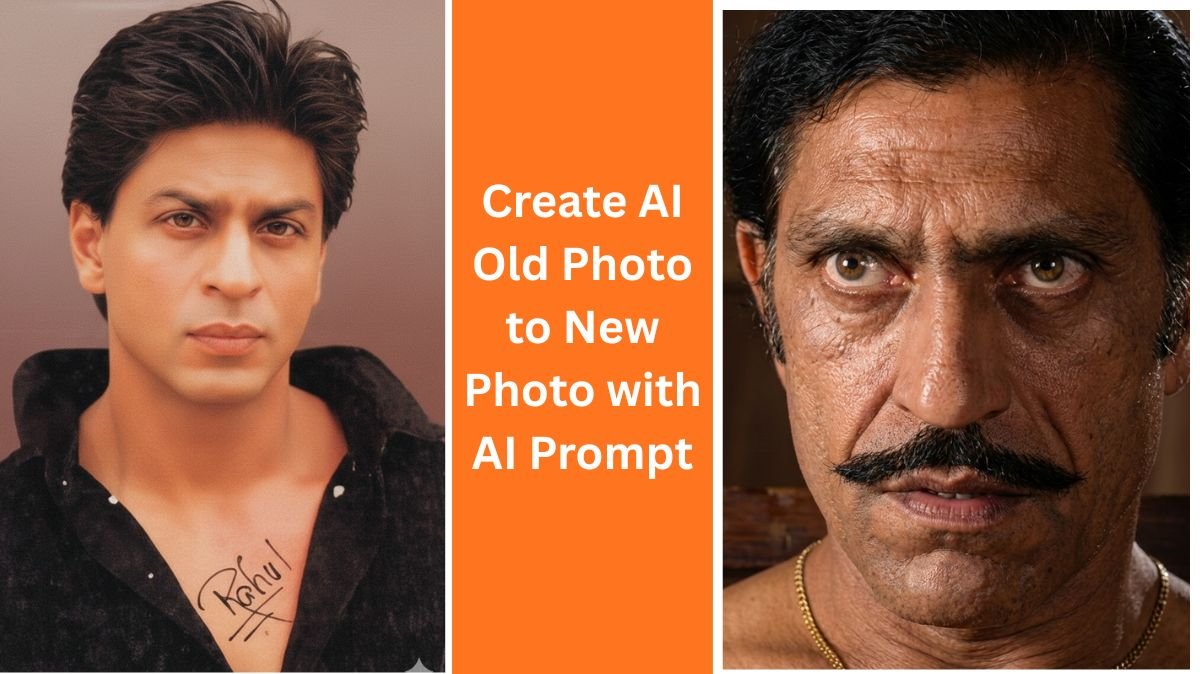
That is why the old photo to new photo AI prompt is becoming very popular. With the help of AI, you can easily convert your old, low-quality photos into new, realistic, and even 4K-quality images without spending money on professional editors.
In this article, we will explain in detail how you can convert old photos to new photos using AI, how to use the old photo to new photo AI prompt, and what additional AI tools you can use for better results.
Table of Contents
What Is an Old Photo to New Photo AI Prompt?
An old photo to new photo AI prompt is a detailed text instruction that tells an AI image tool how to enhance, restore, and upgrade an old photo. This prompt can include details like:
- Improve image quality
- Remove blur and noise
- Enhance facial details
- Add natural skin texture
- Convert black and white photos into color
- Upscale image to 4K resolution
- Keep the original face structure realistic
When you give a proper prompt, AI understands exactly what you want and generates a high-quality image that looks modern and realistic.
How to Use an Old Photo to New Photo AI Prompt (Step-by-Step)
To make this process easy, follow the steps below carefully.
Step 1: Visit Gemini AI
First of all, visit Gemini AI (Google’s AI tool). You can access it easily using your browser.
Step 2: Log in with your Google Account
After opening Gemini, simply log in using your Google account. This will give you access to image generation and enhancement features.
Step 3: Upload Your Old or Distorted Photo
Now, upload the old photo that you want to enhance. This photo can be blurred, damaged, low resolution, or black and white.
Step 4: Paste the Old Photo to New Photo AI Prompt
After uploading the image, paste the old photo to new photo AI prompt (example provided below).
Step 5: Click Generate
Simply click on the generate icon. Within a few seconds, AI will process your image and create a new, high-quality version of your old photo.
Example: Old Photo to New Photo AI Prompt

You can use the following prompt for best results:
“Enhance this old, low-quality photo into a modern, ultra-realistic 4K image. Restore facial details, remove blur and noise, improve sharpness, and enhance lighting naturally. Maintain original facial structure and expressions. Add realistic skin texture, natural colors, and high dynamic range. Make the photo look professionally captured with a modern camera while preserving authenticity.”
How to Change Old Photo to New Photo Using Simple AI Tools
Apart from Gemini, there are many other simple AI tools that can help you convert old photos into new ones.
1. AI Photo Enhancers
Tools like AI upscalers and photo enhancers can automatically increase resolution, remove noise, and sharpen details.
2. AI Colorization Tools
If your photo is black and white, AI colorization tools can add realistic colors based on facial tones, clothes, and background.
3. Face Restoration AI
These tools focus on restoring facial features such as eyes, lips, hair, and skin texture, making the photo look alive again.
4. AI Upscaling Tools
AI upscalers can increase image resolution from low quality to HD or even 4K without losing details.
Benefits of Using Old Photo to New Photo AI Prompt
- Saves money compared to professional photo editing
- No technical skills required
- Fast results within seconds
- Preserves original memories
- Easy to use for beginners
- Can create realistic and modern images
SEO Tips While Using Old Photo to New Photo AI Prompt
If you are creating content, blogs, or social media posts, always remember to:
- Use the keyword old photo to new photo AI prompt naturally
- Add descriptive headings
- Write in simple and easy language
- Explain steps clearly
- Add value by sharing tips and examples
Final Words
Old photos are priceless memories, and losing their quality over time is heartbreaking. Thanks to AI, we now have a powerful solution. By using the old photo to new photo AI prompt, you can easily transform old, distorted images into high-quality, modern photos without any professional help.