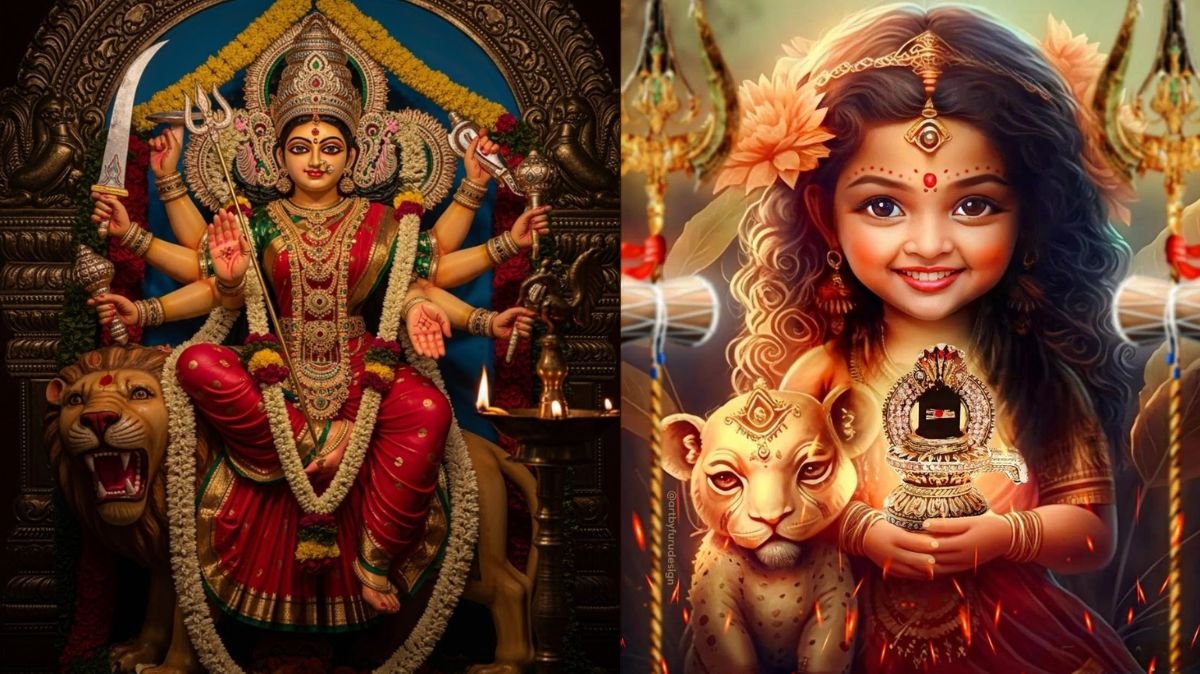
In today’s digital era, social media trends change quickly, and one of the most popular trends is AI-generated images. The keyword “Gemini AI photo editing prompt” has gained huge attention because people want to create high-quality, personalised visuals with ease. During festive occasions like Navratri, you can use Gemini AI to design stunning 4K images with just a simple prompt. In this article, you will learn how to use a Gemini AI photo editing prompt step by step and how to enhance your images professionally.
Table of Contents
What is a Gemini AI Photo Editing Prompt?

A Gemini AI photo editing prompt is a text instruction that tells the AI how to edit or generate your image. It includes details like background, lighting, colours, style, and theme. The more specific your prompt, the better the output image will be.
For example:
“Create a 4K Navratri festive portrait with traditional attire, glowing diyas, warm lighting, vibrant colours, and a divine background.”
Step-by-Step Guide to Use Gemini AI Photo Editing Prompt
1. Open Gemini on your phone's browser
First, open Gemini in your mobile browser and log in to your account.
2. Upload Your Image
Click on the “+” icon and upload your photo. Always choose a high-quality image for better results.
3. Enter the Gemini AI Photo Editing Prompt
Now paste or type your preferred Gemini AI photo editing prompt. Make sure your prompt includes details like theme, lighting, and background.
4. Click on Generate
After entering the prompt, click on the generate icon. Within seconds, Gemini will create a high-quality AI-edited image for you.
Best Gemini AI Photo Editing Prompt Ideas for Navratri
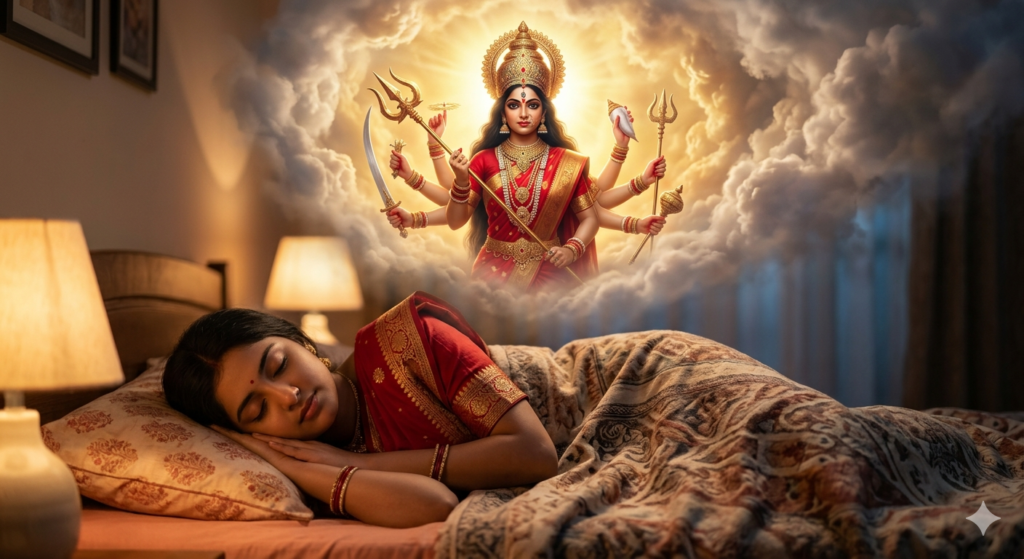
1. Use the uploaded image as an exact face reference (no changes to facial features, skin tone, hairstyle, or expression; keep natural identity). Ultra-realistic cinematic 4K scene: girl sleeping peacefully on a bed in a cozy bedroom, wearing a red traditional dress, soft warm ambient lighting. Above her, a glowing dream in white clouds showing Goddess Durga with multiple arms holding trishul and weapons, red saree, heavy jewelry, divine crown, golden aura with fire glow, calm and fierce forms blended. Dramatic lighting, volumetric light, sharp focus, fantasy cinematic style, masterpiece quality. Negative: blur, distortion, cartoon, low quality, extra limbs, unnatural skin.
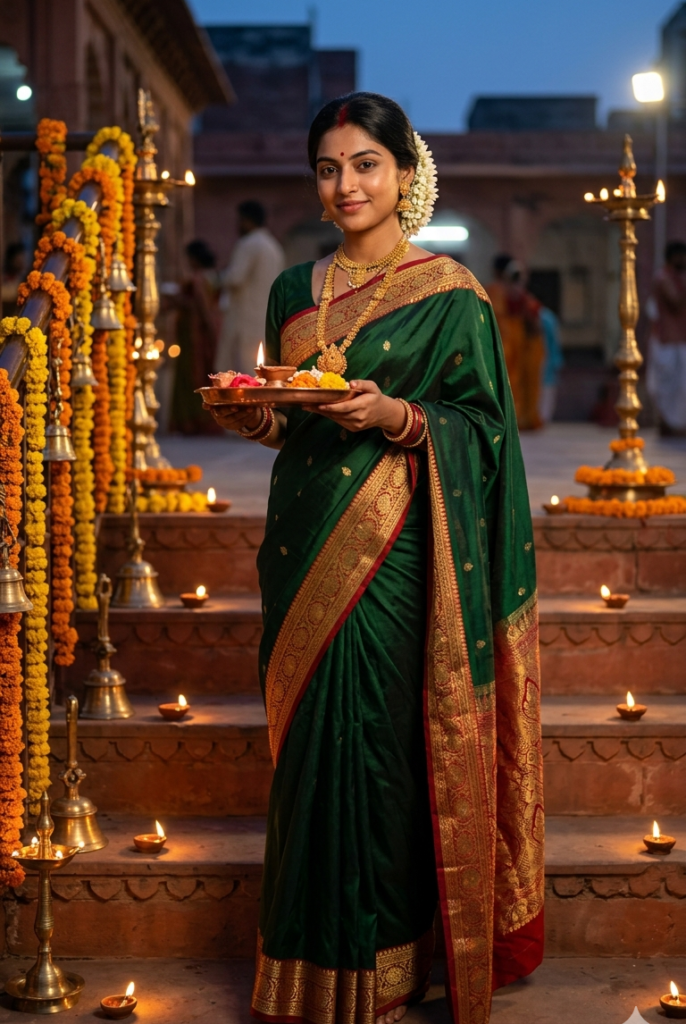
2. Use the uploaded reference face exactly as identity (no changes to facial features, skin tone, or texture, no smoothing). Ultra-realistic DSLR photo, 8K, vertical 9:16, sharp focus, natural pores. Scene: ancient Durga temple steps in Varanasi/Kolkata at Navratri dusk, terracotta architecture, marigold garlands, brass bells, rows of glowing diyas, deepstambha lamps. Subject: young Indian woman standing on steps, soft smile, holding copper puja thali with diya.
Outfit: forest green Banarasi silk saree with gold-red border, traditional bun with tuberose flowers, heavy gold jewellery, bindi and sindoor. Lighting: warm diya glow from below + cool twilight ambient + rim light from lamps, cinematic contrast. Background devotees softly blurred. Shot on Canon EOS R5, 50mm, f/1.8. Negative: blur, distortion, cartoon, low quality, extra limbs, plastic skin. Add small “auraprompt.in” watermark bottom-left, elegant cursive, soft white, subtle transparency.
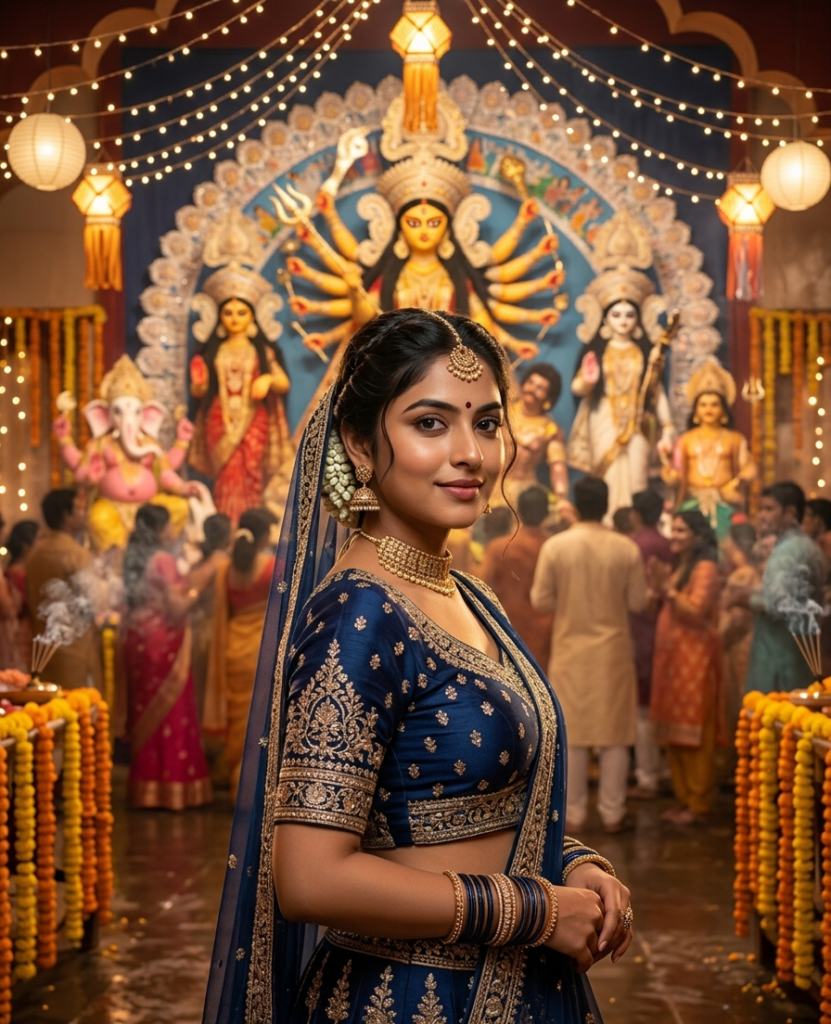
3. Use the uploaded reference face exactly (no changes to facial features, skin tone, texture, no smoothing), ultra-realistic cinematic DSLR photo, 8K, vertical 3:4, sharp focus, natural pores. Scene: grand Durga pandal in Kolkata during Navratri evening, fairy lights, lanterns, marigold garlands, incense smoke, wet reflective floor, large Durga idol with Lakshmi, Saraswati, Kartik, Ganesh in the background, crowd in soft bokeh.
Subject: young Indian woman in three-quarter pose, confident, soft smile, holding regal expression. Outfit: midnight blue embroidered lehenga choli with gold-silver work, dupatta over head, braided bun with mogra flowers, loose strands. Jewellery: choker, jhumkas, maang tikka, bangles, ring, maroon bindi. Lighting: warm tungsten front light + golden rim light from idol, cinematic glow. Shot on Nikon Z9, 50mm, f/2.0, shallow depth. Negative: blur, distortion, cartoon, low quality, extra limbs, plastic skin. Add small “auraprompt.in” watermark bottom-left, elegant cursive, soft white, subtle transparency.
How to Enhance AI-Generated Images
Color Grading
Adjust brightness, contrast, and saturation to give your image a vibrant, festive look. Warm tones work best for Navratri images.
Add Text
You can add messages like “Happy Navratri” using stylish fonts. Make sure the text placement is clean and does not overlap the subject.
Apply Filters and Effects
Use soft glow, background blur, and light effects to make your image more attractive and professional.
Tips for Better Results
- Always write detailed prompts
- Use keywords like 4K, cinematic lighting, vibrant colours
- Upload clear and high-resolution photos
- Try different prompt variations for the best output
Conclusion
Using a Gemini AI photo editing prompt is one of the easiest ways to create stunning 4K images for festivals like Navratri. With just a few simple steps—uploading your image, entering a detailed prompt, and generating the result- you can create professional-quality visuals in seconds. By enhancing your image with colour grading, text, and effects, you can make it even more eye-catching for social media.